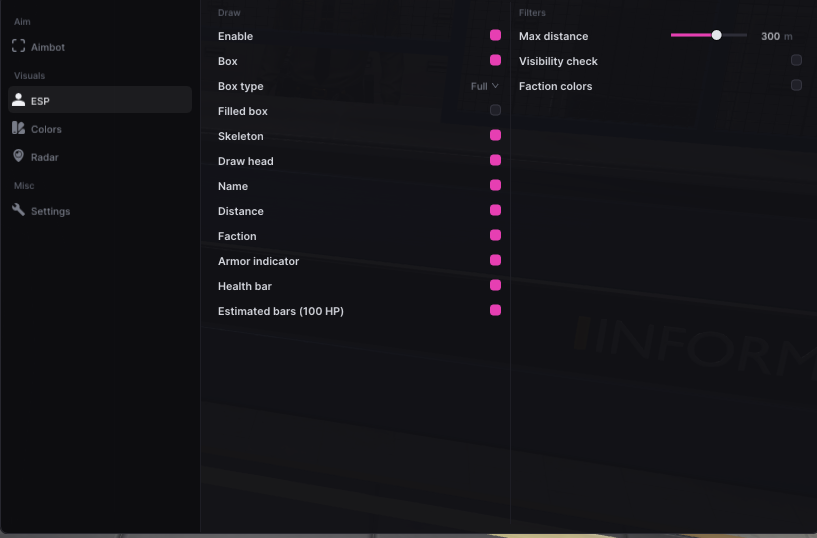
Radar and ESP answer different navigation questions
Radar summarises positions in a compact display, while vehicle ESP identifies supported vehicles in the world around you. Used together, they can help separate a general change in nearby activity from a specific transport opportunity. They are not interchangeable: a radar contact does not automatically explain what vehicle is nearby, and a vehicle marker does not provide the broader context of a radar display.
Raven lists radar and vehicle ESP beside dropped loot tracking. Serenity lists map radar and vehicle ESP with role visuals, Vendex combines radar with player and loot ESP, and Kenzo includes world and vehicle ESP. The word radar alone does not guarantee identical range, icons or filters. Compare the live product information for the navigation data you need rather than treating every minimap-like image as the same implementation.
Set range and marker priority for your route
Long-range information is useful for direction, but too much of it obscures immediate decisions. If the build provides range or zoom controls, choose a view that shows your next relevant street or approach without filling the radar with remote contacts. Keep vehicle and player markers visually distinct, and reduce low-priority labels before shrinking the entire display. Readable information is more valuable than the largest possible coverage area.
Your priority changes with the journey. Leaving Looty Bay may call for transport and nearby player context, while approaching a base may require a closer radar view and fewer world labels. Serenity also lists a free camera, but that is a separate navigation feature and should not be confused with radar range. Make changes gradually so you know which control improved the display and which one removed useful context.
- Keep nearby threats visually stronger than distant information.
- Use different marker styles for vehicles and players.
- Adjust radar range when your destination or activity changes.
Use vehicle information as a routing input
Vehicle ESP can reduce time spent checking streets or parking areas, but it does not establish that a vehicle is usable, unoccupied or worth reaching. Confirm its condition and surroundings through normal play before committing. A shorter walk to a vehicle is not necessarily the safer route, particularly when other players are moving through the same area or when your role makes an encounter more consequential.
Do not infer extra data from a generic vehicle marker. Occupancy, fuel, ownership or health indicators exist only if the current product explicitly supports them and the game exposes reliable information. If those details matter, verify them in the menu rather than relying on assumptions from another game. Rob Run is in Early Access, so vehicle types and related data may change as Kefir updates the sandbox.
Combine overlays without replacing awareness
Radar, player ESP and vehicle ESP are most useful when each has one job. Use radar for direction, player visuals for nearby identification and vehicle markers for transport decisions. Adding loot and base information to the same screen may be helpful on a supply run, but it can become counterproductive in a fight. Switch categories according to the task instead of leaving every overlay active throughout a session.
Navigation information can lag, disappear or become inaccurate after updates, so retain ordinary map knowledge and communication with teammates. A weekly wipe can also change where your clan needs to travel, making an old route less useful. Check product status if radar data stops making sense, and avoid interpreting a blank display as proof that no players or vehicles are present. Missing information is not evidence of an empty area.